
Echo
Atlas.
Find a rhythm in the repeats. Keep them clear, give them colour or send them somewhere unexpected. Twelve original characters, one loop you can shape.
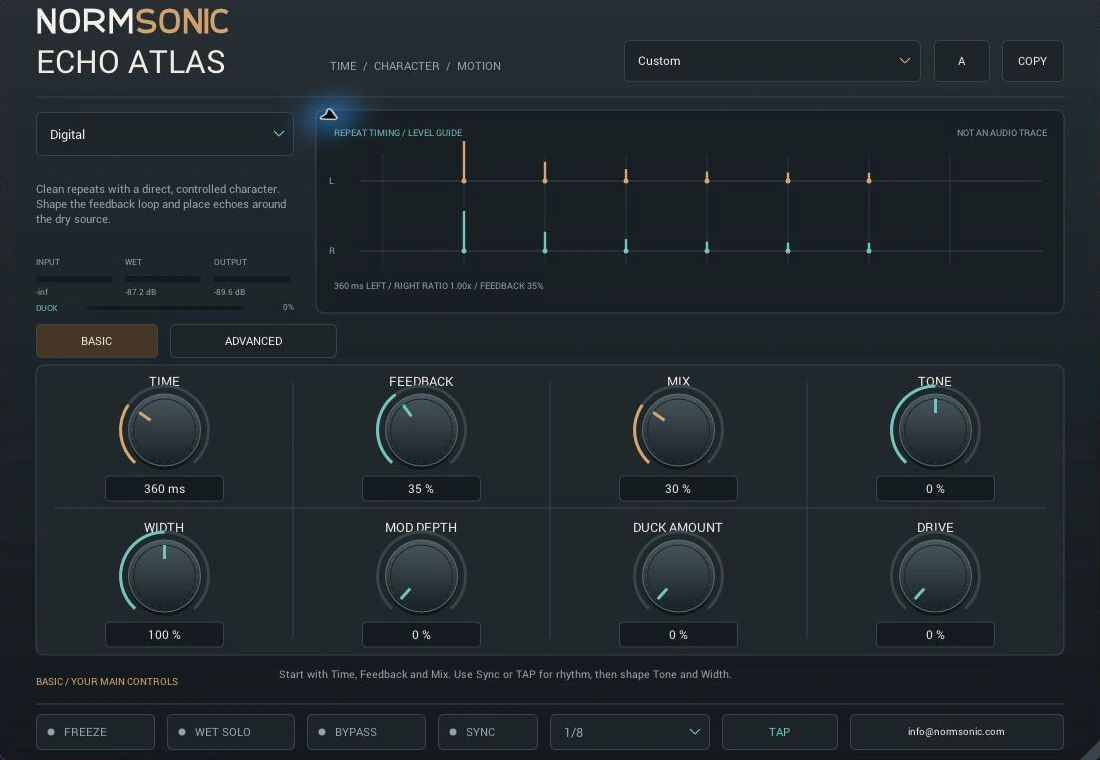
One source.
Many directions.
Explore twelve original echo families. Tape and BBD-inspired colour, real stereo routing, rhythmic heads and creative textures. No claim of an exact commercial hardware replica.
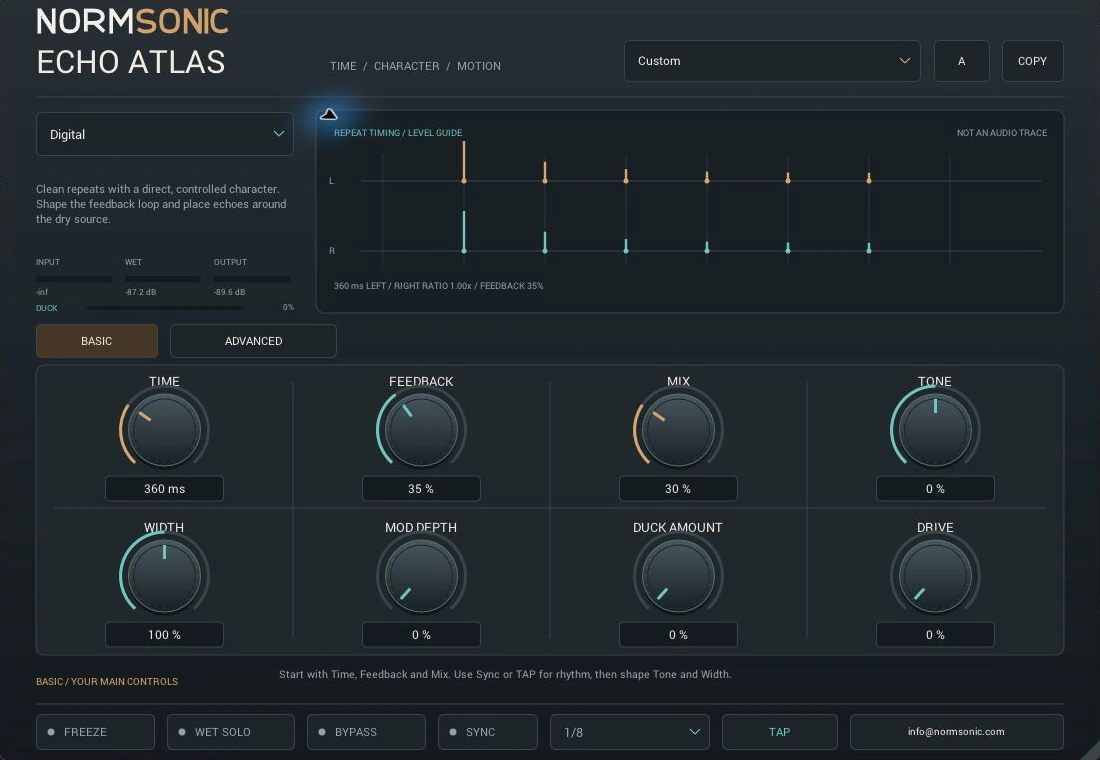
Digital
Clean repeats with a direct character. Shape the feedback loop and place echoes around the source.
Start with a vocal or guitar. Set Time or Sync, then blend Feedback and Mix.
Hear the rhythm.
Feel the character.
Switch OFF / ON at the same position. Change the listening character while playback continues; the current model keeps playing while the next pair loads.
Recorded music through the actual ECHO ATLAS engine. The full mix follows the complete song; individual examples use active passages and short terminal echo tails.
Loading the audio examples…
Set the timing.
Give it character.
Basic keeps the main choices close. Advanced opens the timing relationships, feedback colour, stereo routing and each family's special controls.
Enter milliseconds, choose a host-tempo note division or tap a rhythm. Valid averaged TAP intervals set manual Time and turn Sync off.
Choose how far the repeats continue and how much surrounds the original. Feedback stays bounded at 95%.
Colour the processed sound and explore its nonlinear character. Feedback Tone shapes what keeps circulating.
Place the echoes in stereo, add motion and let the wet sound recede while the source is active.
Set right timing relative to left. Multi-tap and Rhythmic add Tap Count, Tap Spread and repeat patterns.
Slow and faster tape-style motion. Lo-fi separately offers Bit Depth and held Sample Rate.
Overlapped reverse windows and phase-vocoder pitch echoes. Adjust Reverse Window or Pitch and frequency coherence in Advanced.
Stop new excitation and sustain finite existing echo energy. COPY two complete settings slots, then compare your next idea.
Thirty-six processing controls, alongside the DAW's separate bypass. The repeat drawing is a parameter-based timing guide, not an audio trace. Read the complete ECHO ATLAS control guide.
Start with time.
Follow your ears.
Quick installation and practical answers, with all controls explained in the central manual.
Install the Windows build.
- Download and extract the complete ZIP.
- Copy the complete
ECHO ATLAS.vst3bundle to%LOCALAPPDATA%\Programs\Common\VST3. - In REAPER, add that folder under Preferences → Plug-ins → VST and rescan. In another host, check its VST3 search settings.
The Standalone application is included. The current release is Windows only.
Contact NORMSONIC with your host, Windows version and a description of the issue.
Where should I start?
Choose Digital or a factory preset. Keep Feedback moderate, set Time or Sync and raise Mix until the echoes support the source. Use 100% Mix on an effect send.
Why are some Advanced controls dimmed?
Family-specific controls become active for their matching model: Tape / Multi-head motion, Multi-tap heads, Rhythmic Pattern, Reverse Window, Diffusion, Pitch Echo and Lo-fi shaping. Sync replaces manual Time with Division.
What does TAP change?
Tap at least twice. Valid intervals set manual Time from up to the last four valid intervals and turn Sync off. Turn Sync back on when you want the host-tempo note division.
Make room
for a repeat.
Free for personal, educational and commercial audio work. No account or activation.
Checked on Windows in REAPER: all 12 families rendered against the native engine within half a 24-bit PCM step, all 36 automation controls rendered without clipping, and settings/envelopes survived save and reopen. The final DLL passed 1,863 VST3 SDK checks and pluginval at strictness 5; the native DSP suite passed 205,566 checks. Compatibility with every host is not promised.
Windows x64
VST3 plugin + Standalone application. The plugin needs a 64-bit Windows host supporting VST3.
Free Binary Use License. The publisher's own source is private.
Version 0.1.0 · 1.18 MiB ZIP
macOS
Possible future work. No Mac binary is available, and no macOS VST3 or AU build has been completed or tested. The current release is Windows only.
Read the complete binary-use license and release FAQ.