
Ultraverb.
Give a sound a place. Keep it close, let it linger, or turn its tail into something new. Thirteen original characters, with room to shape your own.
Close air.
Long horizons.
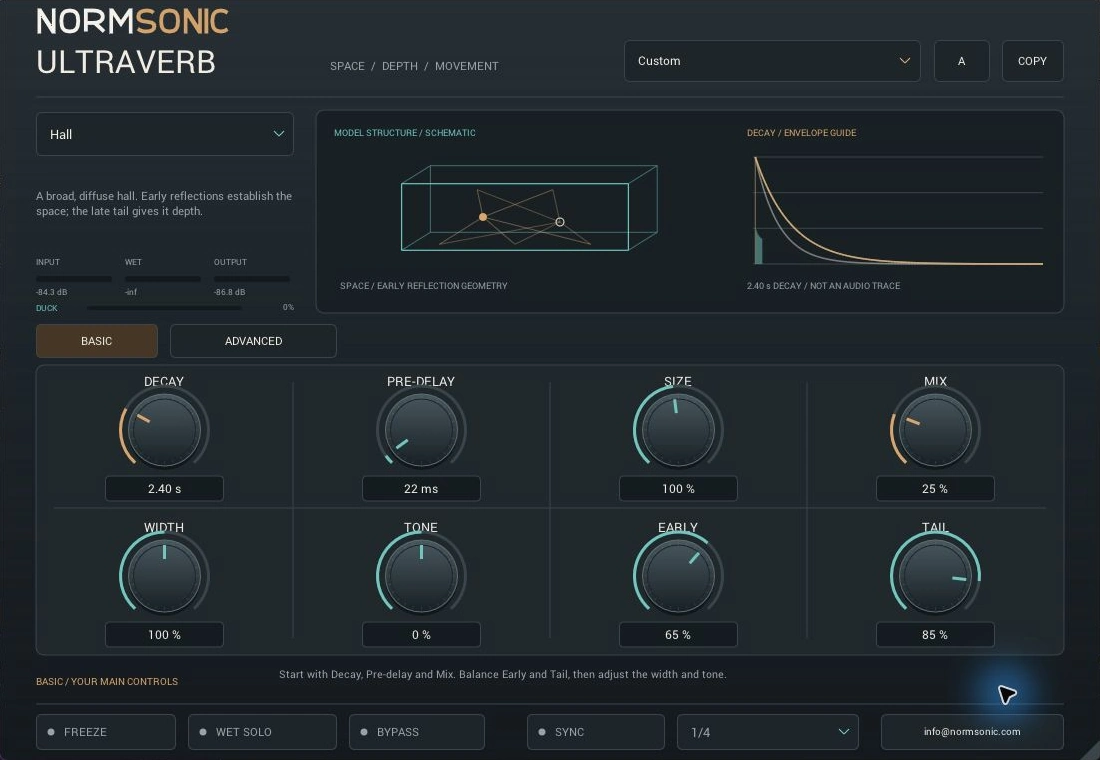
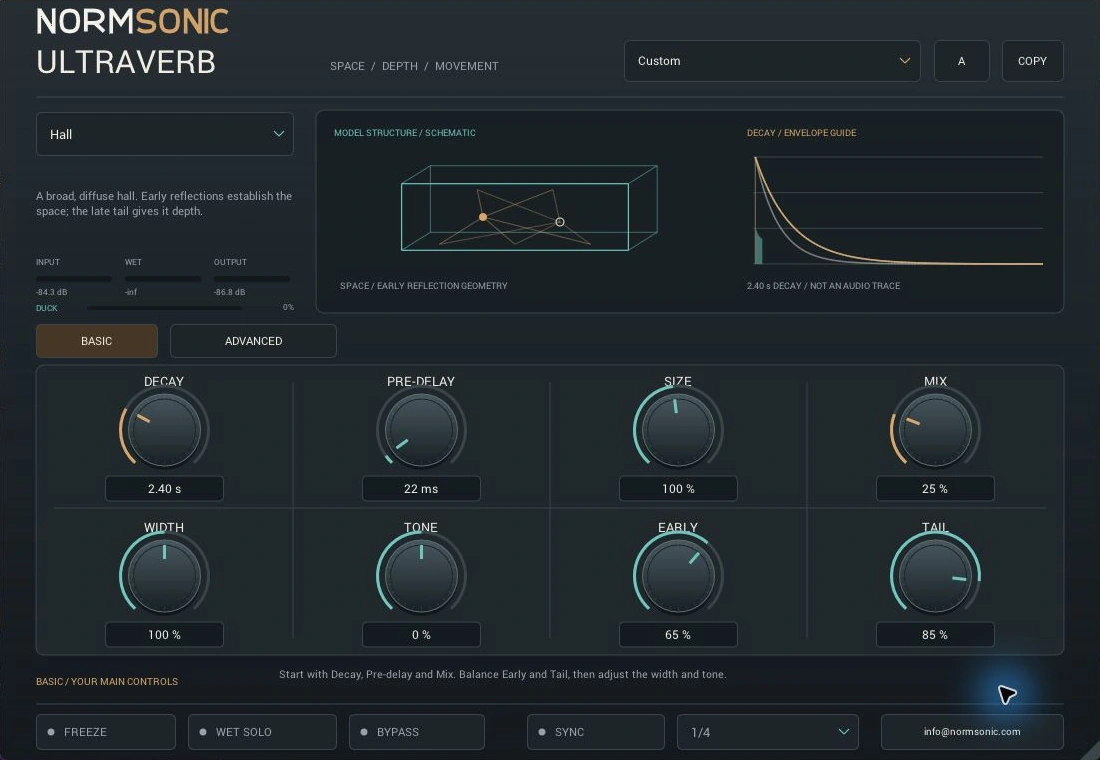
Explore thirteen original algorithmic families. Room-like reflections, a distinct plate tank, a dispersive spring and creative digital tails. These are not measured spaces or replicas of named hardware.
Hall
A broad, diffuse space. Early reflections establish its scale while the late tail gives the sound depth.
Begin with the default Decay and Mix. Use Early and Tail to move the source closer or further into the space.
The performance.
The space.
Switch Plugin OFF / ON while the example plays. Both versions keep the same position. Change the listening character while playback continues, or compare the short tail after an individual performance.
Listen to the complete song and active individual performances through the actual ULTRAVERB engine. Individual examples finish with a short reverb tail. Aligned dry and processed versions are balanced for listening.
Loading the audio examples…
Set the feeling.
Refine the details.
Basic keeps the main choices close at hand. Advanced opens the structure, frequency-dependent decay, motion, ducking and special envelopes.
Choose how long the energy remains and the scale of the internal space. Two separate choices for two different jobs.
Leave room before the wet sound arrives. Enter milliseconds or sync to a host-tempo note division.
Balance the reflections that locate the source against the diffuse late sound that gives it depth.
Place the wet sound in the arrangement. Use 100% Mix on a send, or blend it around the dry source on an insert.
Set Bass and Treble Decay independently. Crossover and HF Damping help the tail leave space for the rest of the track.
Add internal modulation. Let input activity reduce only the wet sound, then choose how quickly it returns.
Shape Gated and Reverse with dedicated length, contour and release controls. Shimmer adds pitch-shifted energy.
Sustain the existing wet energy without new excitation. Copy two settings slots and compare your next idea.
Thirty-two processing controls are exposed to the host, alongside its standard bypass. Continuous settings are smoothed. The room and decay drawings are parameter-based guides, not audio traces. Read the complete ULTRAVERB manual.
Start simply.
Explore further.
Practical starting points and quick answers, with a complete control guide when you need it.
Install the Windows build.
- Download and extract the ZIP.
- Copy the complete
ULTRAVERB.vst3bundle to%LOCALAPPDATA%\Programs\Common\VST3. - In REAPER, add that folder under Preferences → Plug-ins → VST and rescan. In another host, check its VST3 search settings. Load ULTRAVERB and choose a factory preset.
The Standalone application is included for use without a DAW. These releases are Windows only.
Need help with your session? Contact NORMSONIC with your host, Windows version and a description of the issue.
Where should I start?
Choose a factory preset and adjust Decay, Pre-delay and Mix. On a send, use 100% Mix; on an insert, begin with a lower wet blend. Early and Tail place the source closer or further away.
Why are some Advanced controls dimmed?
Gate Length, Shape and Gate Release apply to Gated and Reverse. Shimmer Amount applies to Shimmer. Tempo sync disables manual Pre-delay and enables the note Division selector.
How do I keep a busy source clear?
Try pre-delay, a shorter bass decay and wet-only ducking. Freeze stops new excitation while sustaining existing wet energy; turn it off when you want the tail to decay normally.
Give your session
some room.
No account. No email gate. Free for personal, educational and commercial audio work.
Windows validation includes 679 DSP checks, 1,429 VST3 SDK checks and pluginval at strictness 5. In REAPER, all thirteen characters matched the DSP reference at 24-bit PCM precision. All 32 controls were checked for automation and saved/reopened state, with zero reported latency. Compatibility with every host is not promised.
Windows x64
VST3 plugin + Standalone application. The plugin requires a 64-bit Windows host with VST3 support.
Free Binary Use License. No activation or subscription. The publisher's source code is private.
Version 0.1.0 · 1.17 MiB ZIP
macOS
Possible future work. No Mac binary is available, and no macOS VST3 or AU build has been completed or tested. This release is Windows only.
Read the complete ULTRAVERB binary-use license and release FAQ.