
Dynamo
Core.
Keep the impact. Shape the envelope. Ten original compressor characters, from transparent peak control to optical-style levelling, bus cohesion and quiet detail.
Decorative transfer motif — real engine data appears in the plugin.
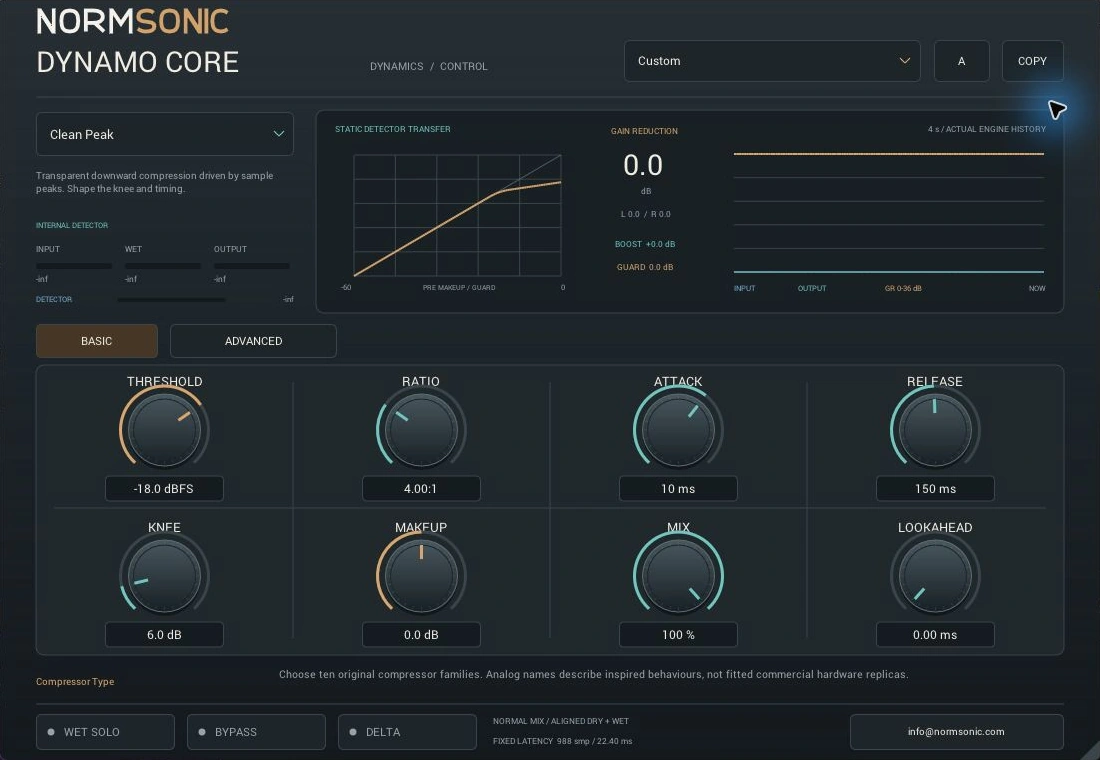
Ten characters.
One clear purpose.
Explore independently designed detector, transfer and recovery behaviours. Analog family names express broad inspiration; no measured replica of a named commercial compressor is claimed.
Clean Peak
Transparent downward compression driven by sample peaks. Shape the knee and timing.
Start with moderate Ratio, then lower Threshold until the loudest peaks move. Set Attack around the source transients.
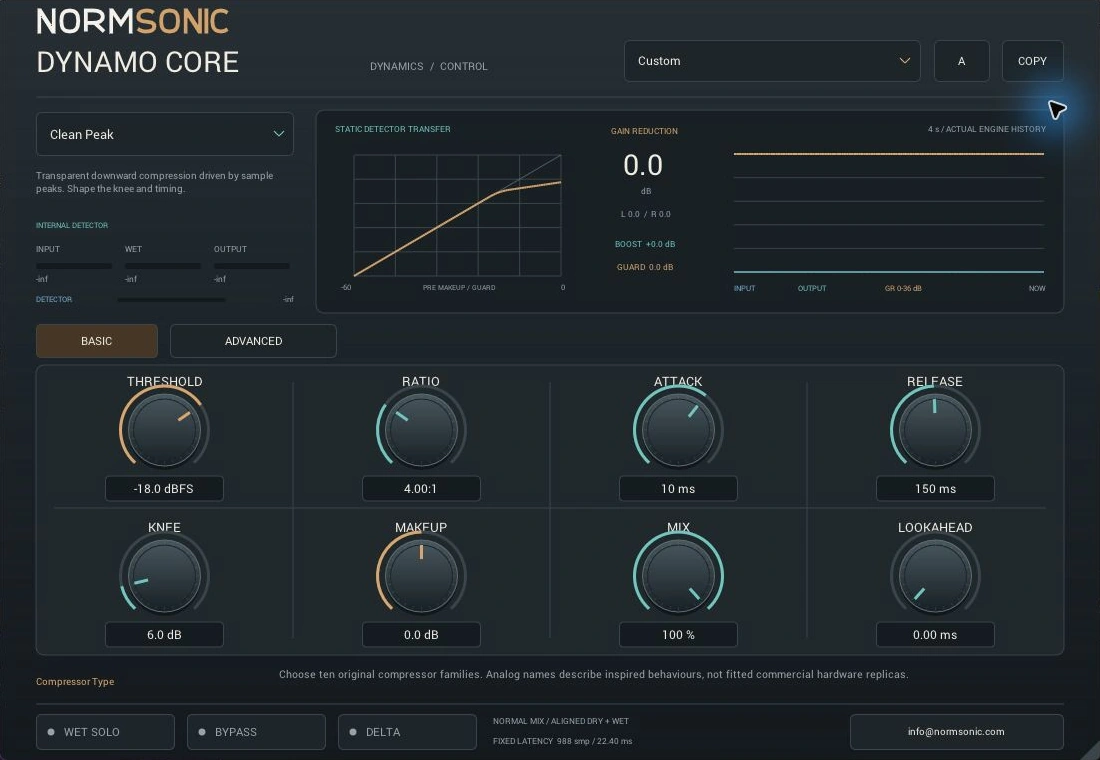
Hear the dynamics.
Feel the character.
Switch OFF / ON at the same position. Change the listening character while playback continues; the current model keeps playing while the next pair loads.
Actual-engine musical comparisons: the complete song, active recorded phrases, ten aligned compressor characters and a dedicated external-sidechain example.
Loading the audio examples…
Shape the envelope.
Keep the feeling.
Basic keeps the main compressor settings close. Advanced separates Timing, Detector/Sidechain, Routing and Colour/Output without crowding every control onto one screen.
Choose where compression starts, its strength and the smoothness of the transition. The graph shows the static detector-domain transfer.
Shape transient entry and recovery. Auto timing, response-time scaling and programme memory refine the base times.
Rebalance processed levels and blend parallel compression. Auto Makeup is approximate, not measured LUFS matching.
Choose 0–20 ms of gain anticipation. Host compensation remains fixed: 20 ms maximum lookahead + 1 ms guard buffer + 61 samples.
Use model detection or explicit Peak, RMS or Hybrid. Filter and listen to the detector without silently filtering the programme.
Use a real auxiliary bus. Connected silence remains external; a missing connection visibly falls back to internal detection.
Link channels, run Dual Mono or focus processing on mid/side components. Dry keeps its channel relationship.
Optional Saturation is separate from model Character. Final sample-peak Guard is explicit; SC Listen, Delta and Wet Solo expose the processing.
Detector ballistics, compression gain and optional colour run at 4× rate. The native graph uses the actual static transfer helper and four seconds of engine input/output/reduction history. It is not an FFT. At 48 kHz the fixed 1,069-sample compensation is about 22.27 ms: plan for mixing rather than latency-sensitive monitoring. Read all fifty controls.
Start with the envelope.
Follow your ears.
Quick installation and practical answers, with all controls explained in the central manual.
Install the Windows build.
- Download and extract the complete ZIP.
- Copy the complete
DYNAMO CORE.vst3bundle to%LOCALAPPDATA%\Programs\Common\VST3. - In REAPER, add that folder under Preferences → Plug-ins → VST and rescan. In another host, check its VST3 search settings.
The Windows package includes a Standalone application.
Contact NORMSONIC with your host, Windows version and a description of the issue.
Where should I start?
Choose Clean Peak or a factory preset. Lower Threshold to involve the louder parts, set a moderate Ratio, then tune Attack and Release while watching real gain reduction. Compare at a useful output level.
Why are some Advanced controls dimmed?
Detector choices govern RMS Window and Peak Blend; sidechain EQ requires SC Filter. Peak Limiter fixes Ratio at 100:1. Upward Lift uses Upward Range and Noise Floor, while Knee, Reduction Range, Topology and Auto Makeup are inactive. Guard controls require Guard or Peak Limiter. Routing and colour have their own dependencies.
How do I feed an external sidechain?
Use your host’s auxiliary-input routing. In REAPER, route the trigger to track channels 3/4 and the plugin auxiliary pins, then select External. Watch the connection badge. A genuinely connected silent bus remains silent; a missing connection falls back to Internal. Detailed routing guide.
Shape the dynamics.
Keep the music.
The binary release is free for personal, educational and commercial audio work.
Verified in REAPER on Windows: ten compressor models, genuine external sidechain, 50-parameter automation and state recall. SDK, pluginval, ZIP extraction and installation checks passed.
Windows x64
VST3 plugin + Standalone application. A 64-bit Windows VST3 host is required.
Free Binary Use License. The publisher's own source stays private.
Version 0.1.0 · 1.19 MiB · No activation required.
Get DYNAMO CORE freemacOS
No Mac binary is built, tested or available. The current release is Windows only.
Read the binary-use license and practical FAQ.