Targeted cuts
24 shared positions for Manual, learned Fixed and adaptive Live notches. Automatic processing only cuts; it never raises the master gain.

Identify narrow ringing frequencies and apply precise cuts. FEEDBACK GUARD combines hands-on notch EQ with deliberate fixed learning and adaptive live assistance, in one clear interface.
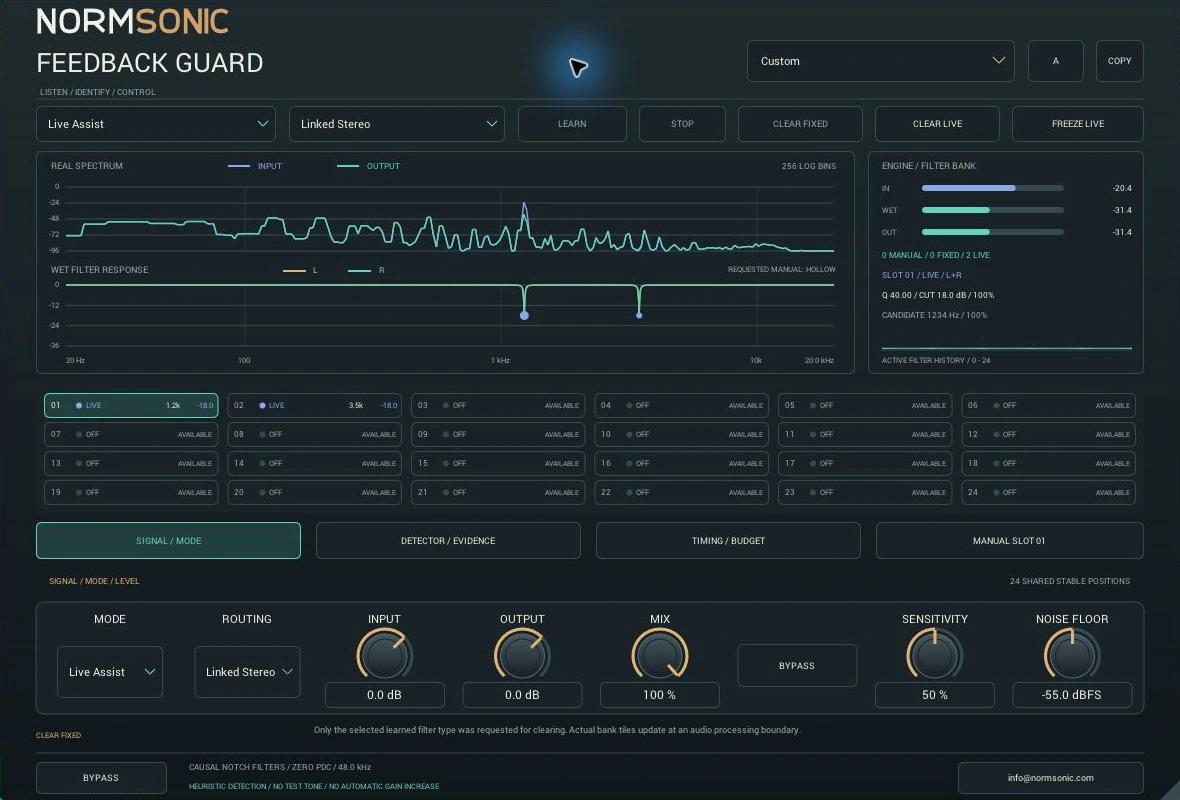
For master and monitor buses, speech systems and precise resonance control. Fixed and Live filters have distinct roles; Manual slots let you choose the frequency, depth and bandwidth yourself.
24 shared positions for Manual, learned Fixed and adaptive Live notches. Automatic processing only cuts; it never raises the master gain.
Real input/output FFT, applied left/right filter response, meters and filter activity history. Requested Manual handles are visibly separate from the applied filter bank.
Learning starts only when you press LEARN. Stop retains Fixed filters. Clear Fixed and Clear Live are separate, and removal actions require confirmation while output is active.
Detection is heuristic: a sustained musical tone can resemble feedback. Software and simulated-loop tests do not replace checking your actual microphones, loudspeakers and room.
Manual settings, fixed learning and live recovery are separate workflows. Use only the assistance you need.
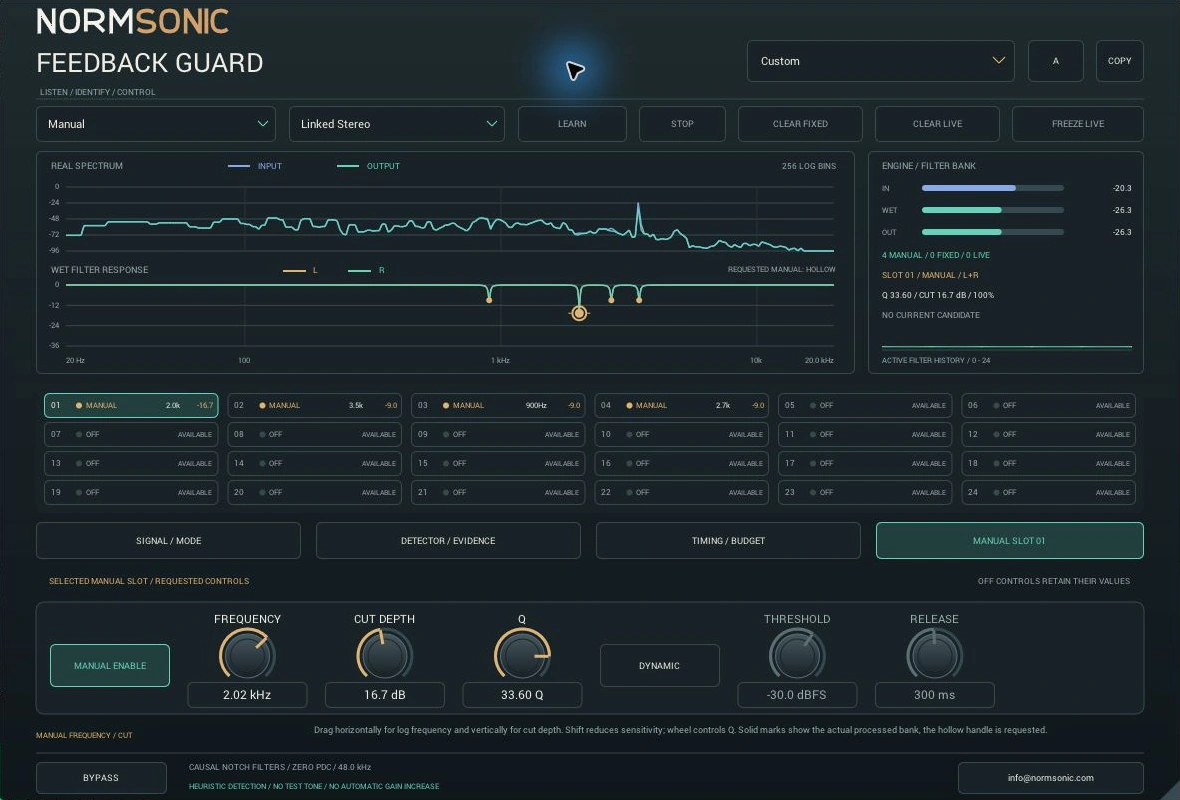
Select a slot, enable Manual, then set frequency, cut and Q. Drag the hollow graph handle or type physical values. Enable Dynamic when the cut should respond to the local signal level.
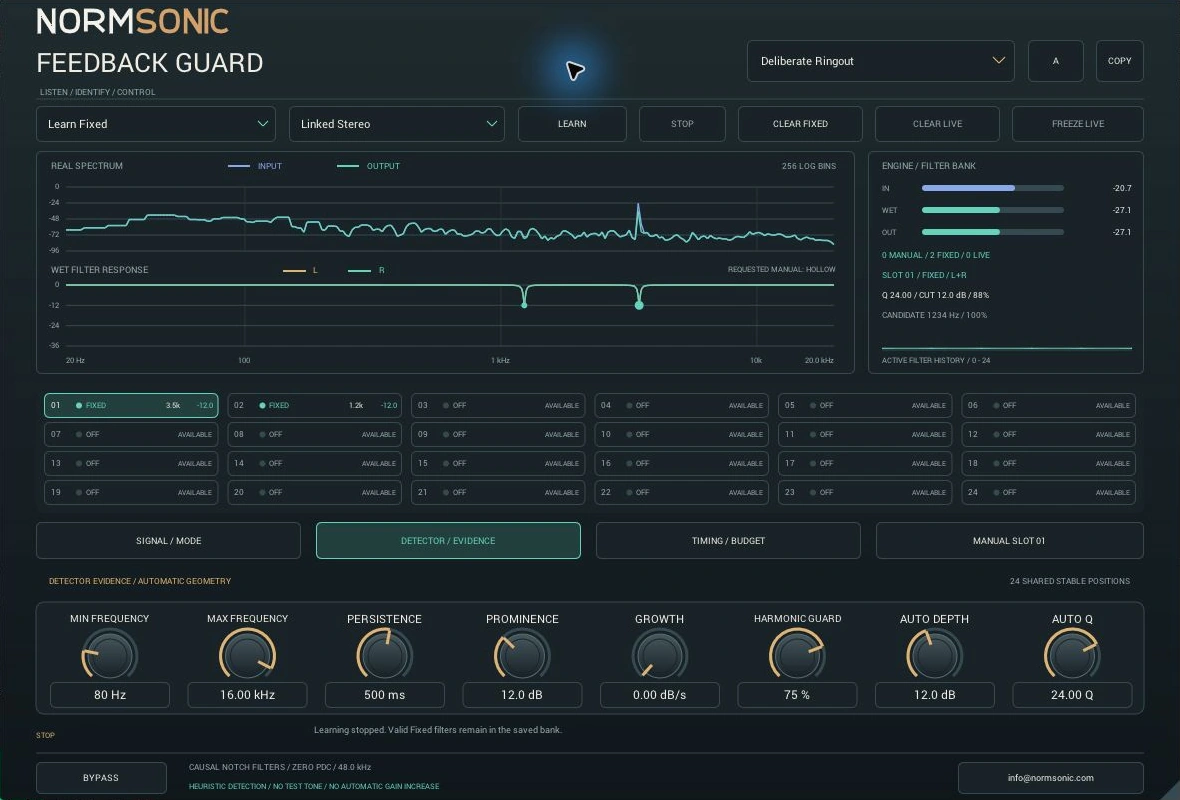
Choose Learn Fixed and press LEARN deliberately while checking the system at controlled levels. The detector evaluates persistent narrow candidates. Press STOP to retain learned cuts; changing a preset never starts learning. No test tone is generated.
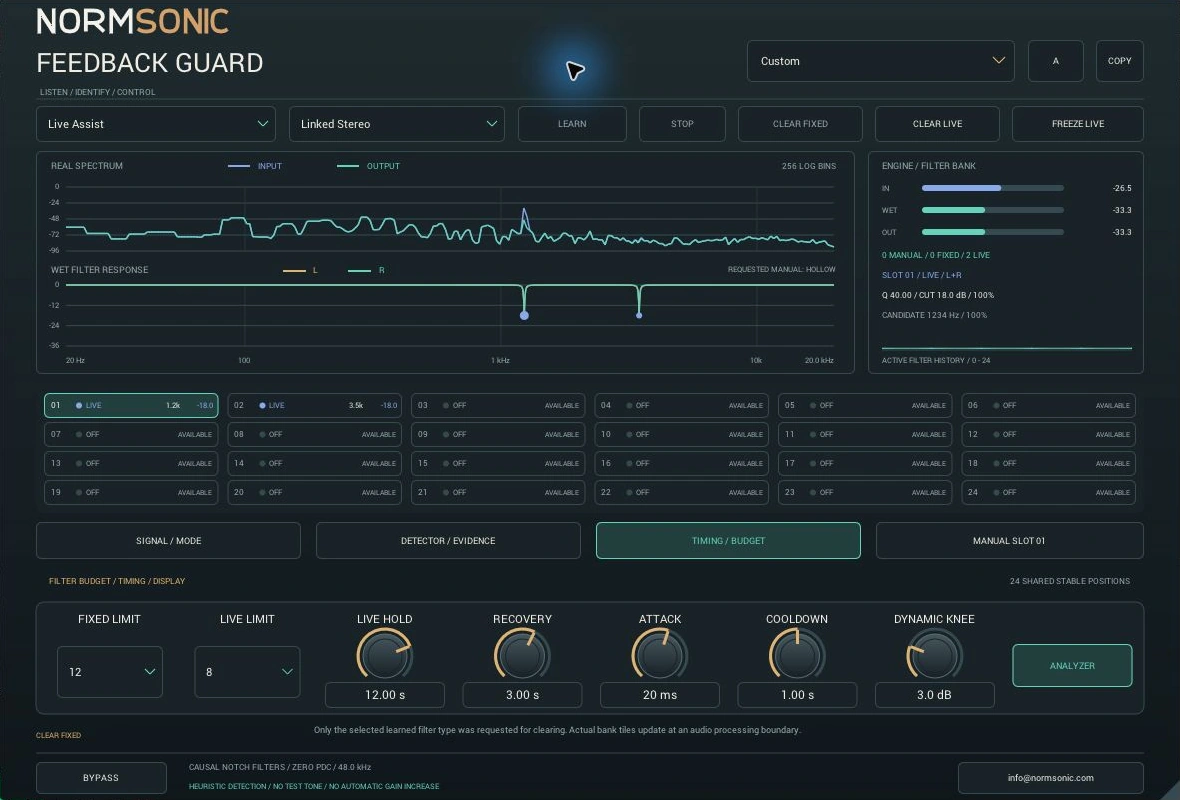
Live Assist assigns adaptive cuts within your filter budget. Hold and Recovery control their return as evidence decays. Freeze Live converts existing Live filters to Fixed; Clear Live leaves your Manual and Fixed filters intact.
Compare the original and processed signal at the same playback position. Examples demonstrate the actual filter engine; each example explains its source and settings.
Switch Plugin OFF / ON while playback continues. Start at a comfortable listening level.
Loading audio comparisons…
The synthetic tones in these open-loop examples are deliberately added to music and vocals. They are not recordings of a physically qualified microphone/loudspeaker system. Separate numerical closed-loop tests are engineering evidence; these listening examples demonstrate filtering, not proof of room protection.
Physical units, typed values, graph editing and explanatory tooltips. Every stored control can be automated by the host.
Input and Output trim, wet/dry Mix and exact bypass. The graph shows the wet filter response; trims and Mix are separate.
Sensitivity, Noise Floor, frequency bounds, Persistence, Prominence, Growth and Harmonic Guard help constrain candidate admission.
Auto Depth limits automatic attenuation; Auto Q sets notch width. Fixed and Live limits share the same 24 stable positions with Manual filters.
Each Manual slot has its own frequency, cut, Q, Dynamic switch, Threshold and Release. Dynamic Knee is shared. Disabled controls retain their values.
Attack smooths cut activation. Cooldown spaces automatic admissions. Live Hold and Recovery govern adaptive filter release.
Linked Stereo shares new detection and filter assignments. Dual Mono detects and filters channels independently. Previously learned channel assignments are retained.
Input/output FFT, applied L/R response, bank types, cuts, confidence and meters show actual engine data. Analyzer Off disables the FFT display, not necessarily detection.
16 factory starting points plus A/B and Copy. Stored controls and the learned bank are saved together. Learn, Stop, Clear and Freeze are deliberate actions rather than continuous automation parameters.
Begin with Manual or a conservative starting point. Confirm the signal path and watch the real response before relying on automatic assistance.
The Standalone application is also included. Device and buffer settings determine system latency; zero plugin PDC does not mean zero hardware latency.
No. The detector evaluates spectral evidence and can react to sustained musical tones. Real acoustic feedback depends on the room, microphone placement, speakers, gain and routing. Keep physical setup and gain management under control. This release has not been qualified across physical venues.
No. FEEDBACK GUARD does not generate test signals or automatically increase gain. Room-response measurement and correction belong to a separate workflow.
The causal notch signal path has no lookahead and reports zero added audio samples to the host. FFT observation and persistence take time to collect evidence; they are detector response time, not audio buffering. Your interface, host and other plugins still add latency.
Controls and learned filters are included in plugin state and A/B banks. Learning is a deliberate runtime action and does not resume automatically when you load a preset or session.
Enable Manual and Dynamic for a slot, choose its frequency, requested cut and Q, then set its Threshold and Release. The cut follows energy near that frequency. It is not a broadband gate or a compressor that boosts the signal.
This release is Windows x64 only. A macOS download is not currently offered.
Free compiled Windows package with VST3, Standalone, instructions and license notices. Use it in personal or commercial audio work.
Check the included release notes for the tested host and known limitations. Physical room performance must be checked with your own system.
Personal and commercial audio use is free. This is a compiled-only distribution; NORMSONIC source code is not offered for download. The included license and third-party notices apply.
Questions or unexpected behaviour? Write to info@normsonic.com with your host, Windows version and steps to reproduce.