Play a WAV into your own processing chain.
No audio input; one host-negotiated audio output bus and a Player Sync event output where the host supports it.

Play a WAV into your own processing chain.
Beta software: check your interface, host and complete signal path before using it for a performance.
784be6e8f73207abcdba302c19af8599095005480873db3b770f6128fd257544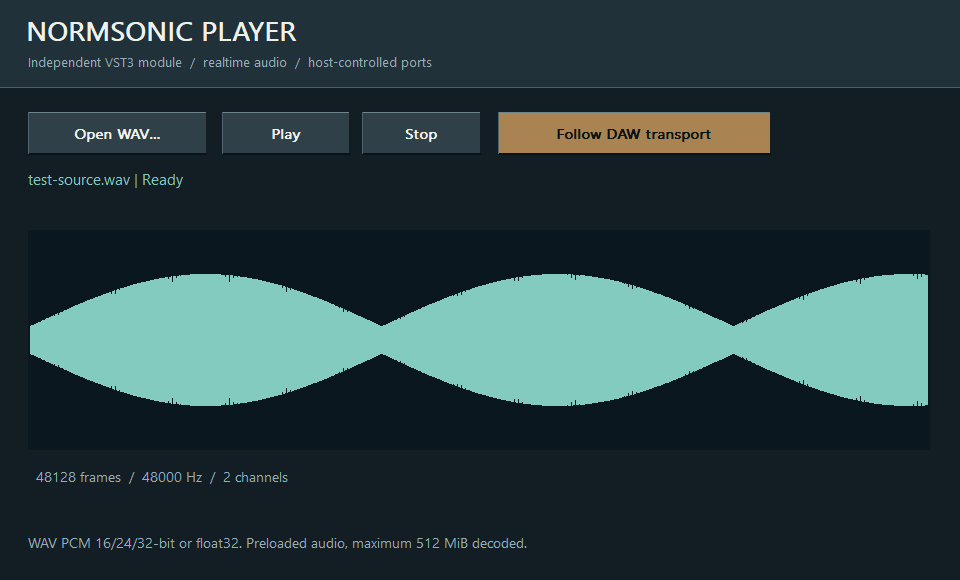
No audio input; one host-negotiated audio output bus and a Player Sync event output where the host supports it.
Choose a WAV with Player stopped, then connect its audio output through effects. Use manual playback, Follow DAW transport or route Player Sync to NORMSONIC RECORDER in a compatible event-routing host.
WAV file selection, waveform preview, play/stop and Follow DAW transport.
WAV files are preloaded with a 512 MiB limit so the audio callback does not read disk. Stop file playback before replacing the WAV; the DAW audio engine can stay running. This beta is a player, not a waveform editing DAW.
VST3 hosts expose and activate auxiliary buses differently. Enable the plugin’s extra inputs and outputs in your DAW. If your host supports only a stereo insert, use the main pair or run the full graph in RACK.
No. In a DAW they work with the audio buses supplied by that DAW. Standalone RACK opens the selected physical interface and its modules address its channels.
No. Digital summing is the neutral default. Analog-inspired saturation is an optional creative effect, not a requirement for combining signals.